What is Vibe Coding?
I wasn’t really sure what “vibe coding” meant at first. It’s not like writing code in the traditional way. I think it’s more about talking to an AI tool and seeing what it gives back. You type in natural language prompts, and then adjust things as the tool responds. It feels a bit like creating together with the software, almost like a back-and-forth conversation. And for me, the focus is less on coding skills and more on how I guide the AI to match my ideas. I think that makes it easier for people like us who don’t have a strong programming background.
Creat a Websit !?
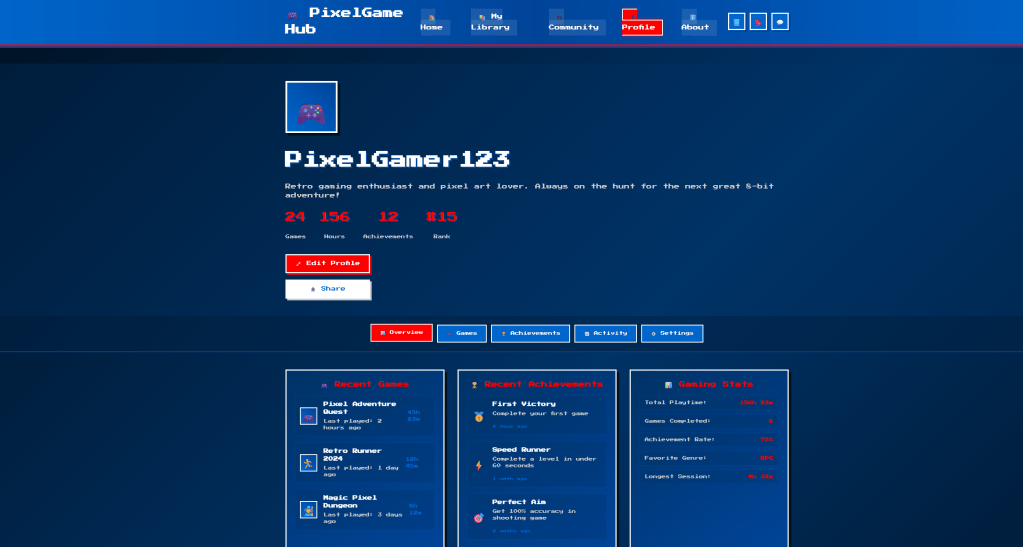
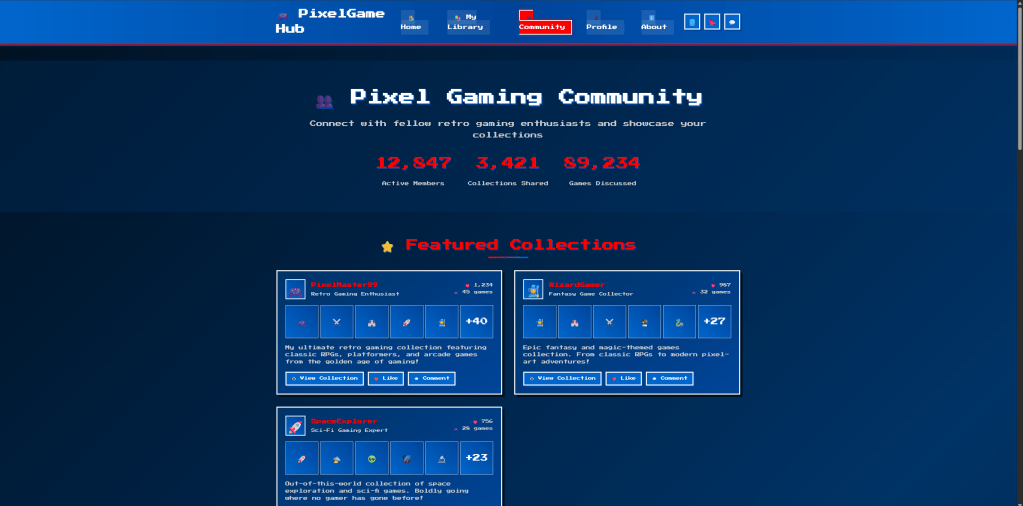
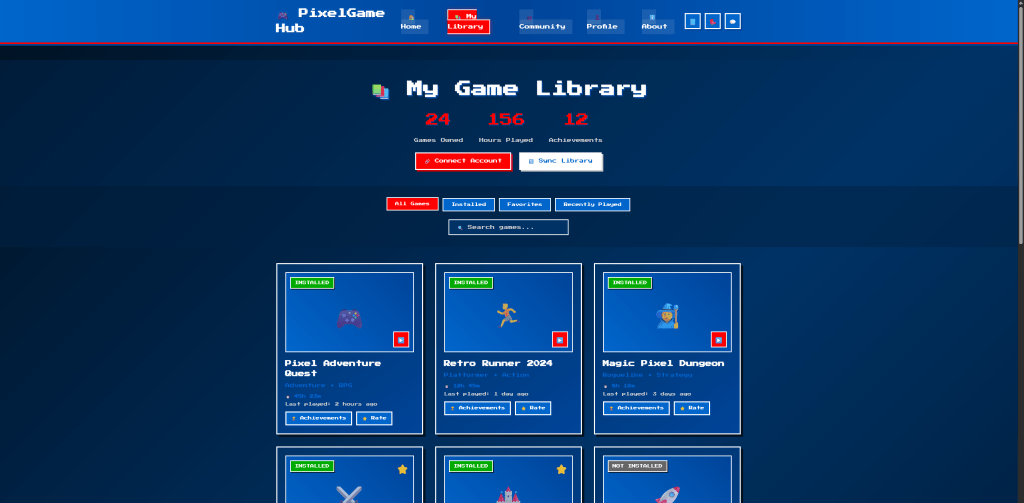
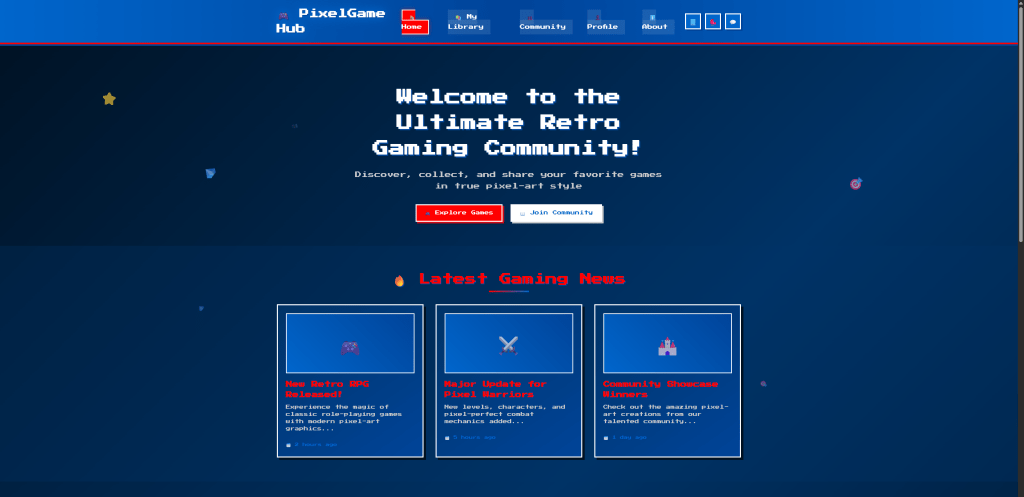
With Cursor, I created a gaming website that feels a bit like Steam but in a pixel-art style. The site shows real-time game information such as new releases and updates. It also lets users link their accounts and manage their own game libraries. There is a community section where people can share and show their collections. I went for a retro look inspired by classic Mario, with blue, white, and red as the main colors. I honestly didn’t expect it to come together the way it did, and I was surprised at how much the AI could handle. I think the mix of nostalgia and functionality makes the project fun and different from a typical game site.
Design Process
My process started with writing a detailed prompt about the style and functions I wanted. I asked Cursor to generate the base pages like Home, My Library, Community, Profile, and About. Then I refined the layout by trying different prompts, especially for the pixel-art details. Sometimes the tool gave me something close, but other times I had to keep adjusting until it matched my idea. I noticed that it worked better when I broke my requests into smaller steps. It felt less like coding and more like a conversation, which made the process interesting. I was a bit frustrated at times, but overall I think it gave me a good balance between control and surprise.
An Accelerating Process
Cursor really helped me speed up the start of my project. It let me organize my ideas faster, since I could just type out what I wanted instead of spending hours sketching wireframes. The coding part was also way quicker, especially for someone like me who doesn’t know how to code. I think it saved me a lot of time by giving me a working base to build on, instead of starting from zero. I also liked how it could generate a lot of assets that matched the same style, which normally would have taken me days. Overall, it felt like having a fast assistant who could handle the technical side so I could focus more on the creative direction.
But Also Slow Down
At the same time, I felt like Cursor slowed me down in some parts. Making the first version of the site was easy, but small changes became really frustrating. The AI often didn’t understand exactly what I wanted, so I had to keep rephrasing my prompts again and again. Sometimes I spent more time arguing with the tool than actually moving forward. In those moments, I thought it might have been faster if I just coded or edited things myself. I also noticed the results could feel a bit random, so I didn’t always know what to expect. That back-and-forth was interesting, but it definitely ate up time.
Demo Video
What Would Be Different If I Had More Time
If I had more time, I would add more interactive details to make the site feel alive. Things like hover effects, small animations, or sounds when you click could really build on the retro vibe. I would also spend time polishing the details, such as font choices, text size, and spacing, so the pages look more consistent. Another thing would be improving the navigation flow, because right now it feels a little basic. I think it would also be interesting to test the site with users and see how they respond, then make changes based on their feedback.

 Michelle Wu /Digital Designer